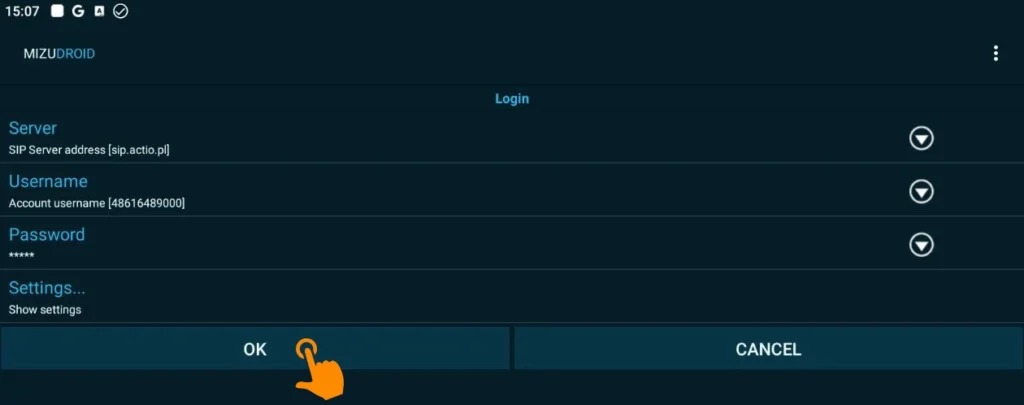
When you launch the app, you’ll see a simple login screen that you’ll need to fill out with your provider’s credentials (in this case, Actio).
Enter your login credentials
Fill in the fields according to the table below:
Field
What to enter?
Example from the screen
Server
Your provider’s SIP server address.
sip.actio.pl
Username
Your SIP account number or phone
48616489000
Password
Your personal password for the VoIP service.
*****
After filling in all the fields correctly, click the OK button in the lower-left corner of the screen.
If you need to change additional settings (such as the port or transport protocol), you can click Show settings below the password field before confirming.